
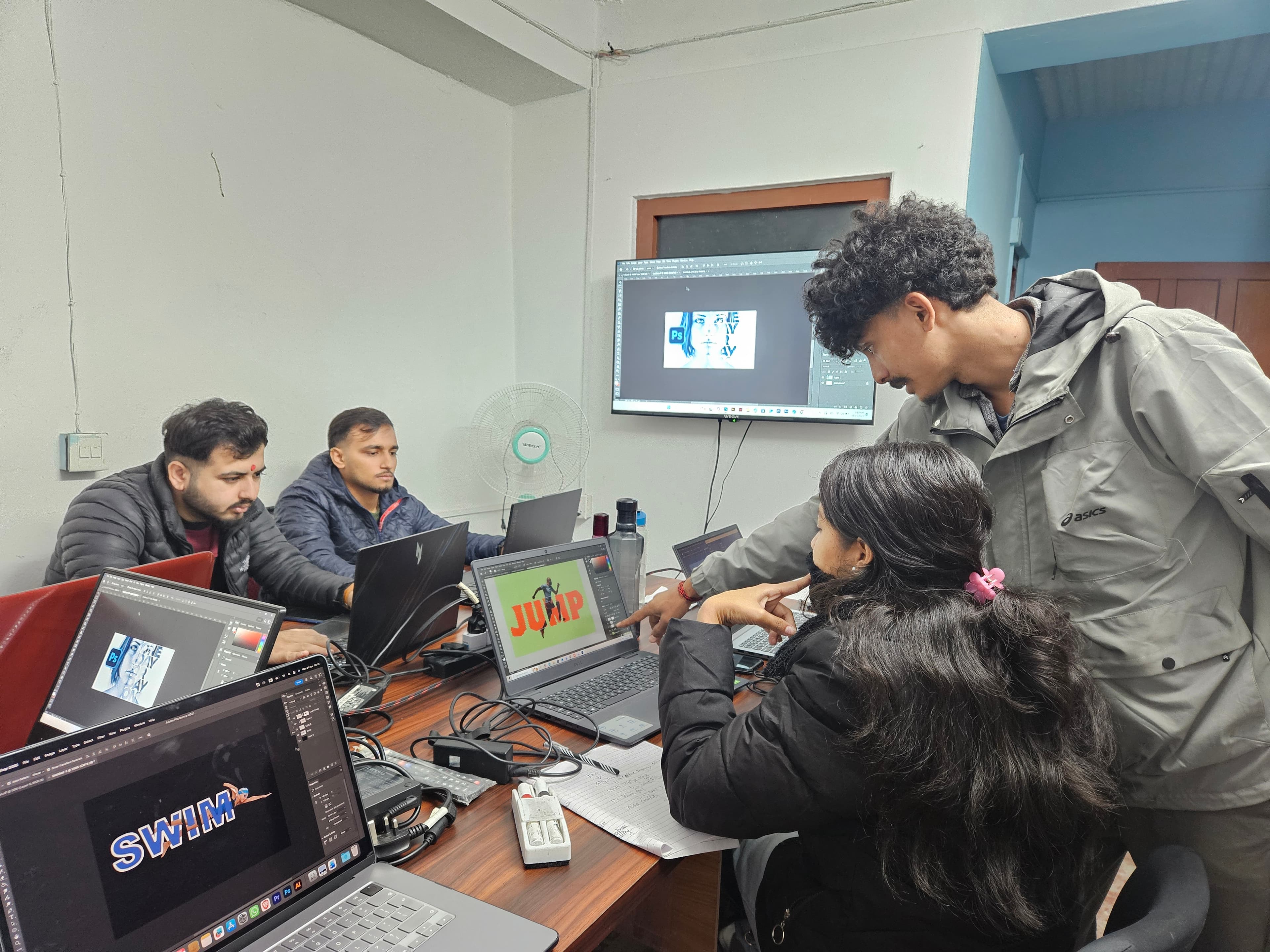
Getting Started with Graphic Design: A Beginner's Guide
Introduction: Why Graphic Design Is a Valuable Skill
Graphic design is everywhere: logos, packaging, websites, social media posts, advertisements, and printed materials all rely on visual design to communicate messages effectively. According to the U.S. Bureau of Labor Statistics, graphic design employment is projected to remain steady globally, with demand driven by the growing need for digital content across industries.
In Nepal, the demand for graphic designers has grown significantly with the expansion of digital businesses, social media marketing, and the startup ecosystem. Local businesses in Pokhara, Kathmandu, and other cities increasingly need designers for branding, social media content, packaging, and web design. Freelancing platforms like Upwork and Fiverr also provide opportunities for Nepali designers to serve international clients.
This guide covers the essential knowledge, tools, principles, and career paths that every beginner graphic designer needs to understand.
Core Design Principles Every Beginner Must Learn
Before touching any software, beginners need to understand the fundamental principles that make designs effective. These principles apply regardless of which tools you use.
1. Hierarchy
Visual hierarchy guides the viewer's eye to the most important information first. It is achieved through size, color, contrast, and placement. A headline should be immediately visible; supporting text should be secondary.
2. Contrast
Contrast creates visual interest and improves readability. Dark text on light backgrounds, bold fonts against thin ones, and complementary colors all create effective contrast.
3. Alignment
Every element in a design should be visually connected to something else on the page. Proper alignment creates a clean, organized look. Beginners often make the mistake of centering everything, when left or right alignment frequently creates stronger designs.
4. Repetition
Repeating visual elements such as colors, fonts, shapes, and spacing creates consistency and unity. This principle is the foundation of brand identity design.
5. Proximity
Related items should be grouped together. When elements are physically close, viewers perceive them as belonging together. This simple principle dramatically improves the clarity of layouts.
6. White Space
Empty space is not wasted space. White space (also called negative space) gives designs room to breathe, improves readability, and draws attention to key elements. Beginner designers often try to fill every pixel; experienced designers know that restraint is more powerful.
Summary of Core Principles
| Principle | What It Does | Common Beginner Mistake |
|---|---|---|
| Hierarchy | Guides the eye to important elements first | Making everything the same size and weight |
| Contrast | Creates visual interest and readability | Using similar colors or font sizes |
| Alignment | Creates order and connection | Centering everything or misaligning elements |
| Repetition | Builds consistency and brand identity | Using too many different styles in one design |
| Proximity | Groups related information | Spreading related items far apart |
| White Space | Improves clarity and focus | Filling every available space with content |
Essential Tools for Graphic Design
The software you learn determines the kind of work you can produce. Here are the industry-standard tools every beginner should know about:
Adobe Photoshop
Adobe Photoshop is the most widely used raster graphics editor. It excels at photo editing, digital painting, social media graphics, web graphics, and image manipulation. It works with pixel-based images, making it ideal for photographs and detailed visual compositions.
Adobe Illustrator
Adobe Illustrator is the standard vector graphics editor. Unlike Photoshop, Illustrator creates images using mathematical paths, which means designs can be scaled to any size without losing quality. It is essential for logos, icons, illustrations, and print design.
Adobe InDesign
InDesign is used for multi-page layout design: brochures, magazines, books, and reports. While not the first tool beginners learn, it becomes important for print and publishing work.
Canva
Canva is a browser-based design tool popular for quick social media graphics and presentations. While not a replacement for professional Adobe tools, it is useful for beginners to experiment with layouts before committing to learning complex software.
Tool Comparison for Beginners
| Tool | Best For | Learning Curve | Cost |
|---|---|---|---|
| Adobe Photoshop | Photo editing, social media graphics, web design | Moderate to steep | Subscription (Creative Cloud) |
| Adobe Illustrator | Logos, icons, illustrations, print design | Moderate to steep | Subscription (Creative Cloud) |
| Adobe InDesign | Multi-page layouts, brochures, books | Moderate | Subscription (Creative Cloud) |
| Canva | Quick social media posts, presentations | Very low | Free with paid options |
| Figma | UI/UX design, web prototyping | Low to moderate | Free tier available |
At Prime Learning, our graphic design course focuses on Photoshop and Illustrator as these are the tools that employers and clients expect designers to know.
Understanding Color Theory
Color is one of the most powerful tools in design. It influences emotions, directs attention, and communicates brand personality. Every designer needs a working knowledge of color theory.
The Color Wheel
The color wheel, developed by Sir Isaac Newton, organizes colors into a circular format showing relationships between primary colors (red, blue, yellow), secondary colors (green, orange, purple), and tertiary colors. Understanding these relationships helps designers create harmonious color combinations.
Common Color Schemes
| Scheme | Description | Example Use |
|---|---|---|
| Complementary | Colors opposite each other on the wheel (e.g., blue and orange) | High contrast designs, CTAs |
| Analogous | Colors next to each other on the wheel (e.g., blue, blue-green, green) | Harmonious, calming designs |
| Triadic | Three colors equally spaced on the wheel | Vibrant, balanced designs |
| Monochromatic | Different shades and tints of a single color | Elegant, minimal designs |
Free tools like Coolors and Adobe Color help designers generate and test color palettes quickly.
Typography Fundamentals
Typography, the art of arranging text, accounts for roughly 95% of most graphic designs. Good typography makes content readable and appealing; bad typography makes even great content look unprofessional.
Key Typography Rules
- Limit font choices: Use a maximum of 2-3 fonts per design. Pair a display/heading font with a clean body font.
- Establish hierarchy: Use font size, weight, and color to distinguish headings, subheadings, and body text.
- Mind the spacing: Line height (leading), letter spacing (tracking), and space between words affect readability dramatically.
- Choose readable fonts: For body text, prioritize legibility. Save decorative fonts for headings or logos only.
- Be consistent: Once you choose fonts and sizes, apply them consistently throughout the design.
Free font resources like Google Fonts provide thousands of professional typefaces for both web and print use.
Building Your First Portfolio
A portfolio is more important than a certificate in graphic design. Employers and clients want to see what you can create. Here is a practical approach to building a portfolio as a beginner:
Recommended Portfolio Projects
| Project Type | Skills Demonstrated | Difficulty |
|---|---|---|
| Logo design (3-5 logos) | Vector illustration, brand thinking, simplicity | Beginner |
| Social media post series | Layout, typography, color consistency | Beginner |
| Business card design | Print design, precision, typography | Beginner |
| Poster or flyer | Hierarchy, composition, visual impact | Intermediate |
| Brand identity package | Logo + business card + letterhead + social templates | Intermediate |
| Website mockup | UI layout, responsive thinking, modern aesthetics | Intermediate |
Platforms like Behance and Dribbble are excellent places to showcase your work and get visibility in the design community.
Career Paths in Graphic Design
Graphic design opens up multiple career directions:
- In-house designer: Work for a single company handling all their design needs (marketing materials, social media, internal documents).
- Agency designer: Work at a creative or marketing agency, handling projects for multiple clients across industries.
- Freelance designer: Work independently, finding clients through platforms like Upwork, Fiverr, or local networking. Freelancing offers flexibility and the potential for international clients.
- Print and production designer: Specialize in designing for physical products: packaging, signage, books, and merchandise.
- Brand identity designer: Focus on creating complete visual identities for businesses, including logos, color systems, and brand guidelines.
Salary Ranges for Graphic Designers in Nepal
| Level | Monthly Salary Range (NPR) | Experience |
|---|---|---|
| Junior Designer | 15,000 - 25,000 | 0-1 years |
| Mid-Level Designer | 25,000 - 45,000 | 1-3 years |
| Senior Designer | 45,000 - 80,000 | 3-5+ years |
| Freelancer (International clients) | 30,000 - 150,000+ | Varies |
Free Resources to Start Learning
While formal training accelerates your growth, many free resources can supplement your learning:
| Resource | Type | What You Will Learn |
|---|---|---|
| TutVid (YouTube) | Video tutorials | Photoshop and Illustrator techniques |
| Canva Design School | Articles and courses | Design fundamentals, branding basics |
| Google Fonts Knowledge | Articles | Typography principles and best practices |
| Adobe Color | Interactive tool | Color palette creation and theory |
| Behance | Portfolio platform | Inspiration from professional designers worldwide |
These resources are excellent companions to structured coursework, helping you explore topics in greater depth and stay current with design trends.
Design Trends to Watch
While mastering fundamentals is more important than chasing trends, awareness of current design directions helps you create work that feels contemporary and relevant:
- 3D elements and illustrations: Three-dimensional graphics are increasingly used in web and app design to create depth and visual interest. Tools like Blender (free and open source) allow designers to create 3D assets.
- Bold typography: Large, expressive typefaces are being used as primary visual elements rather than just text carriers. This trend emphasizes the importance of strong typography skills.
- Minimalism with warmth: Clean, minimal layouts combined with warm color palettes and organic shapes have replaced the cold, sterile minimalism of earlier years.
- Motion and micro-interactions: Subtle animations on buttons, transitions between pages, and loading animations make interfaces feel alive and responsive.
- Accessibility-first design: More brands are making accessible design a core requirement rather than an afterthought, driven by both ethical considerations and legal requirements.
Conclusion: Start Creating Today
Graphic design is one of the most accessible and rewarding creative skills you can learn. The barrier to entry is low: you need a computer, design software, and a willingness to practice. The fundamental principles of hierarchy, contrast, alignment, repetition, proximity, and white space will guide every design decision you make.
Begin with simple projects, learn the core tools (Photoshop and Illustrator), study color theory and typography, and start building a portfolio from day one. Every professional designer started exactly where you are now.
At Prime Learning in Pokhara, our two-month graphic design course takes you from complete beginner to confident designer with hands-on projects and expert instruction. Visit our courses page or contact us to get started.